Educated generation is the strength of any nation. People’s Foundation proposes scholarship for the advancement of Kerala society in the field of education. Trough the scholarship scheme , People’s Foundation intended to develop individuals with high moral values, assist academically talented students from financially poor background to pursue higher education in selected fields , provide scholarship to students to join nationally reputed educational institutions and gain employment opportunities , provide assistance to students from poor families to join short-term employment training courses, and also chalk out long term plans to identify talented students and motivate them to pursue advanced courses.
Field of scholarship
Scholarship will be provided for regular courses in media studies, management studies, social sciences and legal studies.
Orientation and entrance examination coaching for nationally reputed services like civil services, UGC (NET-JRF) exams, Indian Economic services, Indian engineering services, Indian statistical services and nationally reputed institutions like IIM, IIT, AISER, IIS, NIT, AIIMS and central universities.
- Scholarship for financially weak students studying in reputed central universities located in various parts of the country
- Scholarship for financially weak students for short-term employment training courses
- Special assistance to extremely poor students to help them continue education
- Study kits for school students from poor and backward areas in the beginning of academic year
Procedures
- Register and fill required data in the appropriate fields in the e-application form
- After filling the data take a print out of the application
- Get signature and stamp from the head of the institution/department
- Attach mark list / certificate of qualifying course, adhar card
- Pass the hard copy to people’s Foundation local/area representatives
- The applicant will be called for an interview to assess
HIGHER EDUCATION SCHOLARSHIP 2026-27
How to apply — step by step
Applications are submitted in the People’s Foundation beneficiary portal, which opens in a new tab when you press Apply Now. The portal carries every scheme of the Foundation, so please follow the steps below and make sure you select the Higher Education Scholarship scheme. Keep your mobile phone with you — login works through an OTP sent to your number.
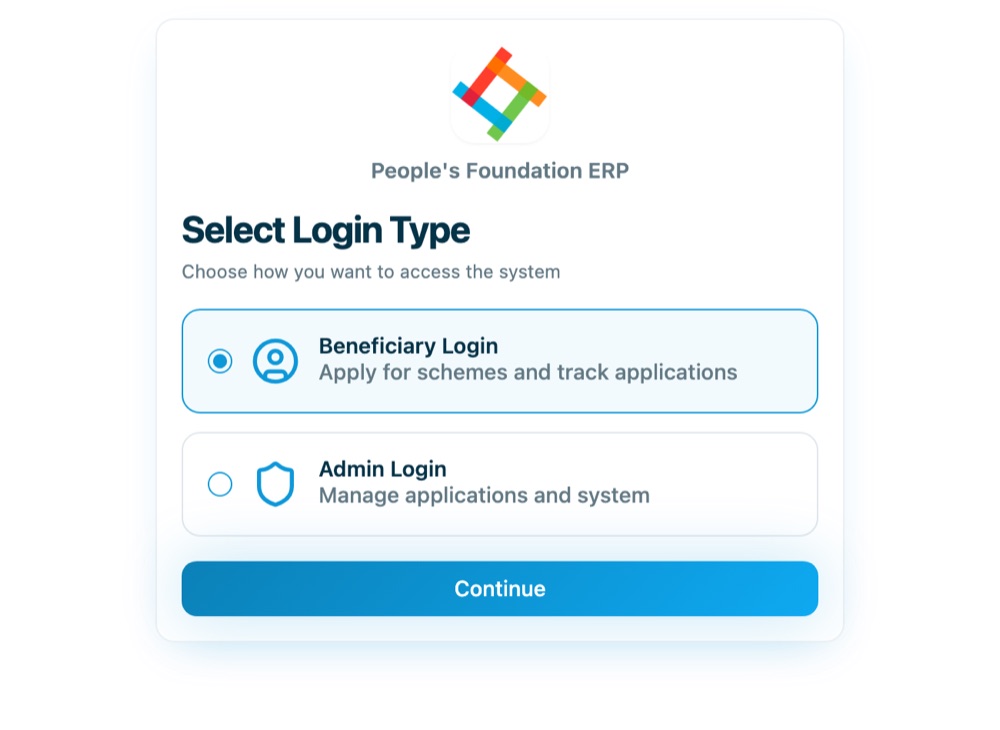
1 Choose “Beneficiary Login”
The portal opens on the Select Login Type screen. Choose Beneficiary Login — this is the option for applicants. Do not choose Admin Login, which is meant for Foundation staff. Press Continue.
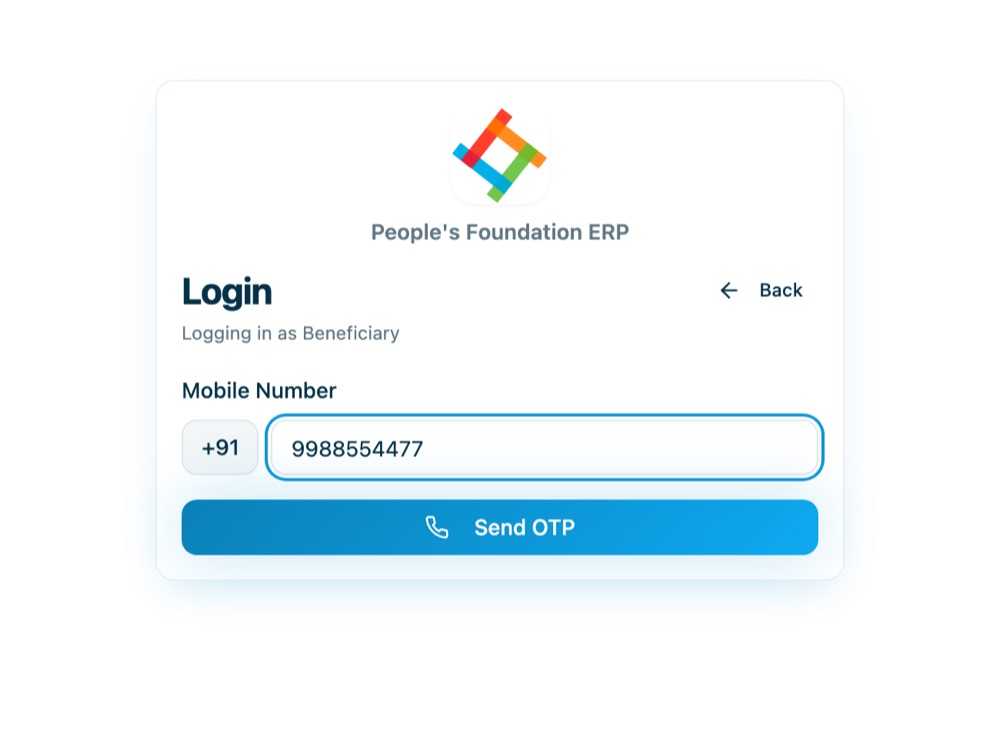
2 Enter your 10-digit mobile number
There is no username or password. Type the mobile number you want to register with — all further communication about your application goes to this number, so use one that stays with you. Press Send OTP.
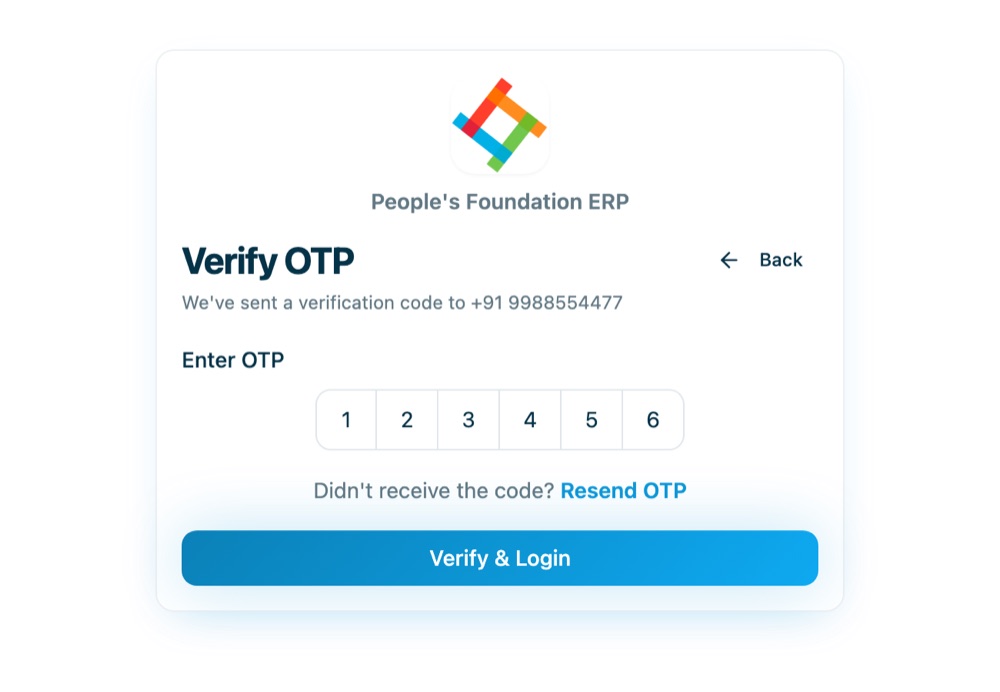
3 Verify the OTP
Enter the six-digit code received on your phone and press Verify & Login. If the message does not arrive, wait a few seconds and use Resend OTP.
4 Complete your profile (first-time sign-up)
The first time you log in, the portal asks you to complete your profile. This is the sign-up step — the application form will not open until it is saved. Fill in:
- Full Name — as it appears in your certificates
- Gender
- District, then Area, then Unit — choose them in that order, because the Area list loads after the District is picked and the Unit list after the Area
Your mobile number is already filled in and cannot be changed. Press Save Profile. You can come back later through the Profile link at the top of the portal to correct these details.

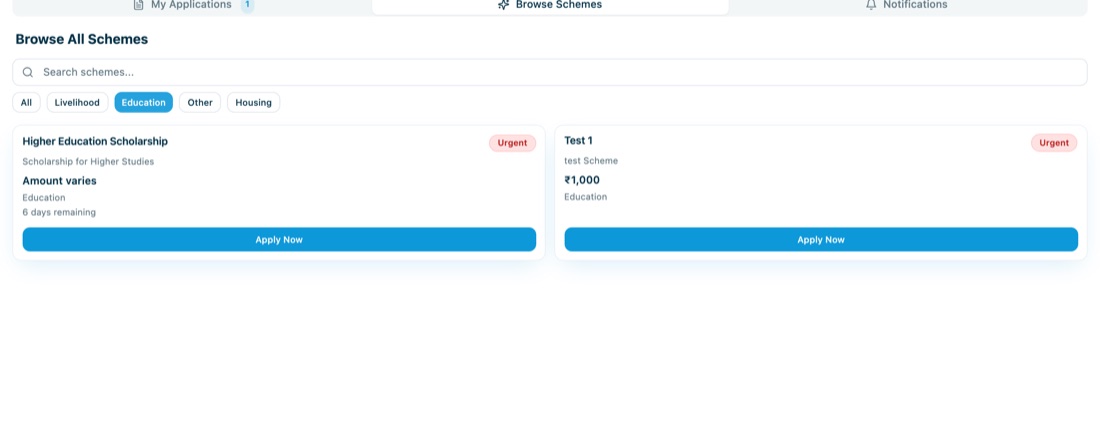
5 Open “Browse Schemes”
After saving the profile you reach your dashboard. Open the Browse Schemes tab to see every scheme that is currently open. Each card shows the benefit amount, the closing date and the key eligibility conditions.
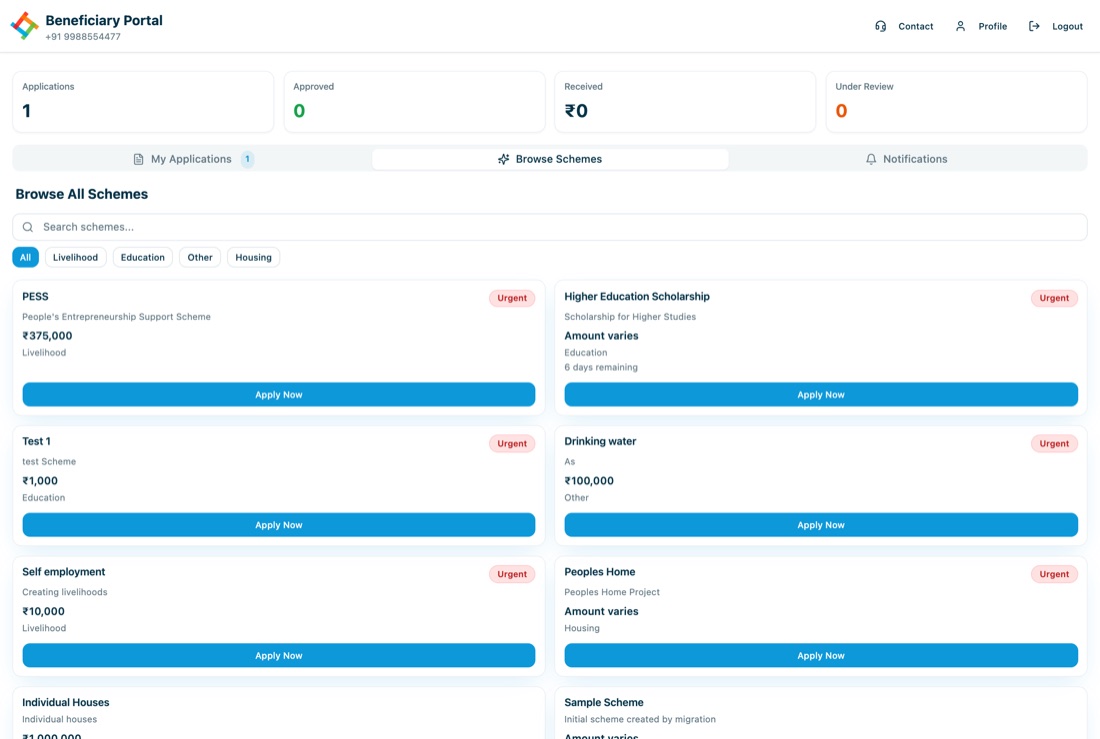
6 Select the Higher Education Scholarship — and only that
The portal also lists livelihood, housing and other schemes. For the educational scholarship, filter by the Education category and press Apply Now on the Higher Education Scholarship card. Applications sent to any other scheme will not be treated as scholarship applications.
7 Fill the five pages of the application
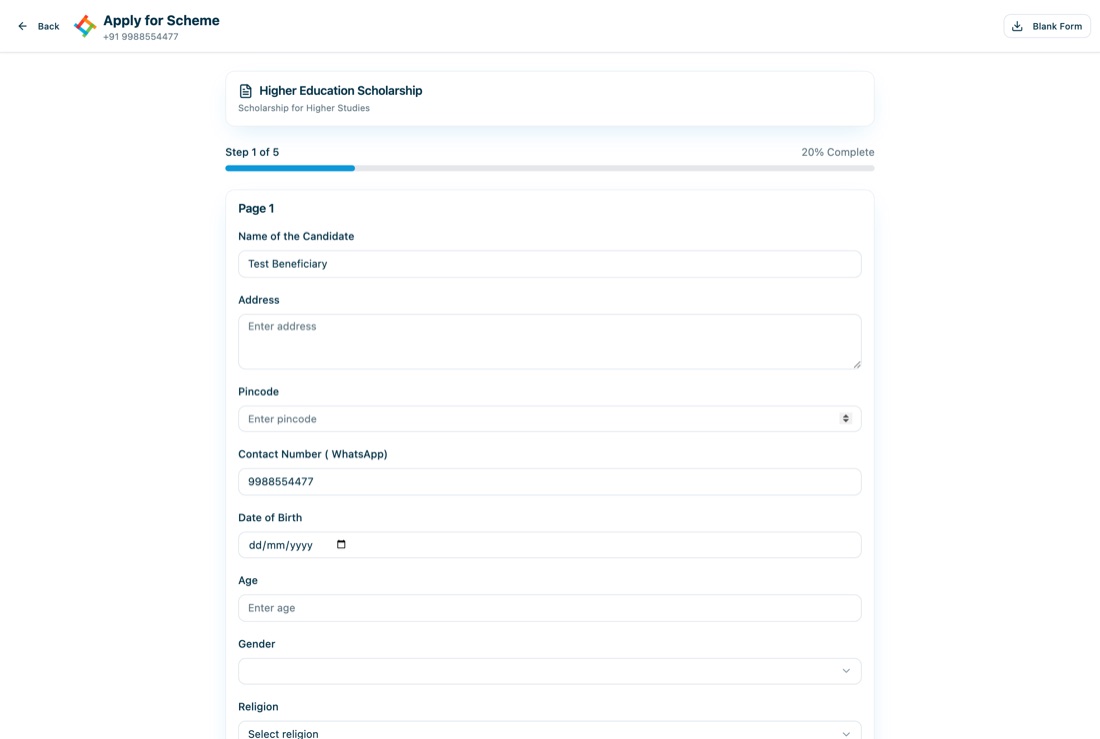
The scholarship form runs over five pages, with a progress bar at the top:
- Page 1 — Personal details: name, address, pincode, WhatsApp number, date of birth, age, gender, religion
- Page 2 — Educational details: your examinations with the institution, year of result, grade/CGPA and back papers, if any
- Page 3 — Fee details: tuition fee and hostel fee per year, and the total
- Page 4 — Family details: family annual income and details of your house
- Page 5 — Documents and declaration
Use Next to move ahead and Previous to go back and correct an entry. Save for Later stores the form as a draft, so you can close the portal and continue from where you stopped.
8 Upload the documents and submit
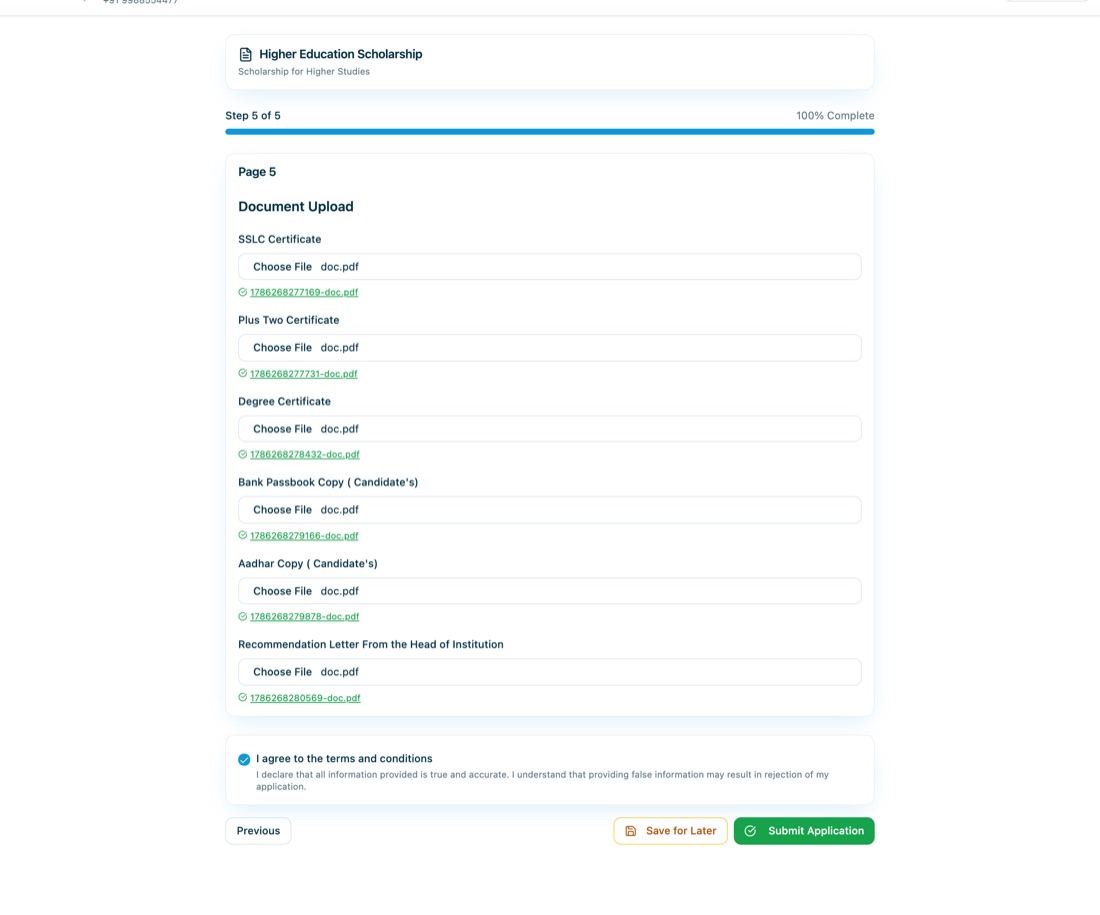
On the last page attach the SSLC certificate, Plus Two certificate, degree certificate, a copy of the candidate’s bank passbook, the candidate’s Aadhaar copy and the recommendation letter from the head of the institution. Each file is uploaded as soon as you choose it, and the file name appears next to the heading. Tick the declaration and press Submit Application.
9 Note down your application number
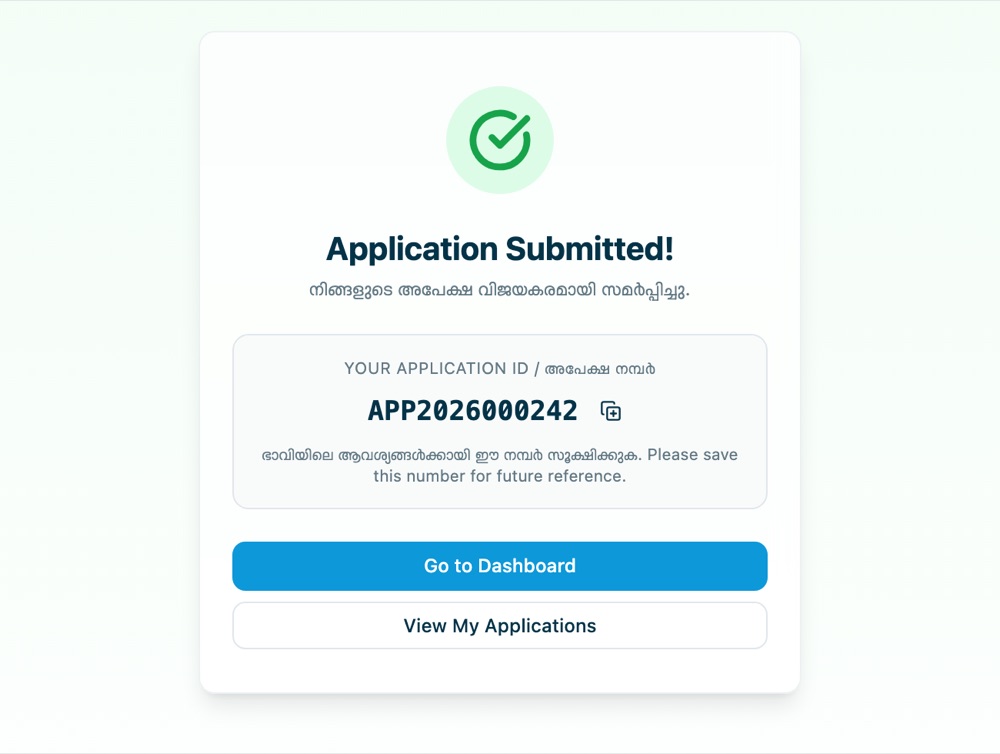
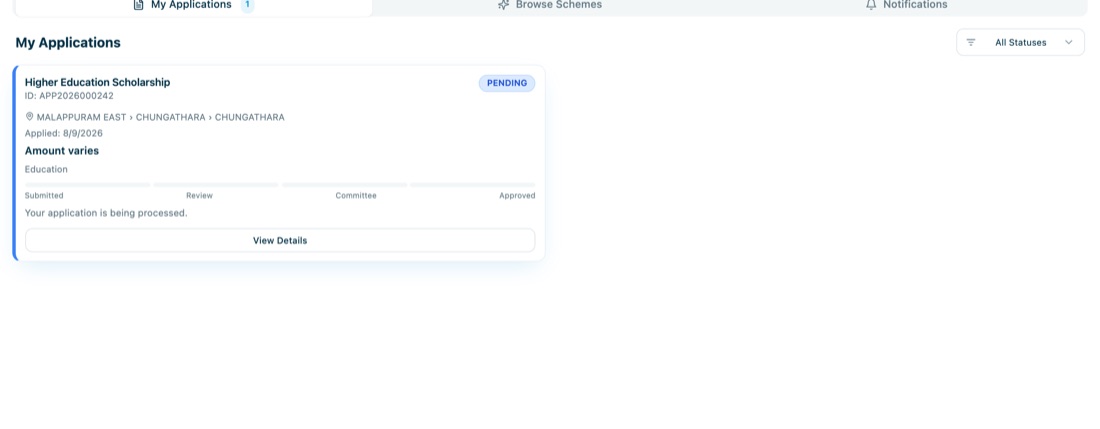
On submission the portal shows a confirmation with your application number (for example APP2026000242). Save this number — you will be asked for it in all correspondence about your application.
10 Track your application
Log in again with the same mobile number at any time and open My Applications to see the stage your application has reached — Submitted, Review, Committee or Approved. Shortlisted applicants are called for an interview, so keep your phone reachable.
Ready? Press Apply Now below to open the beneficiary portal in a new tab.